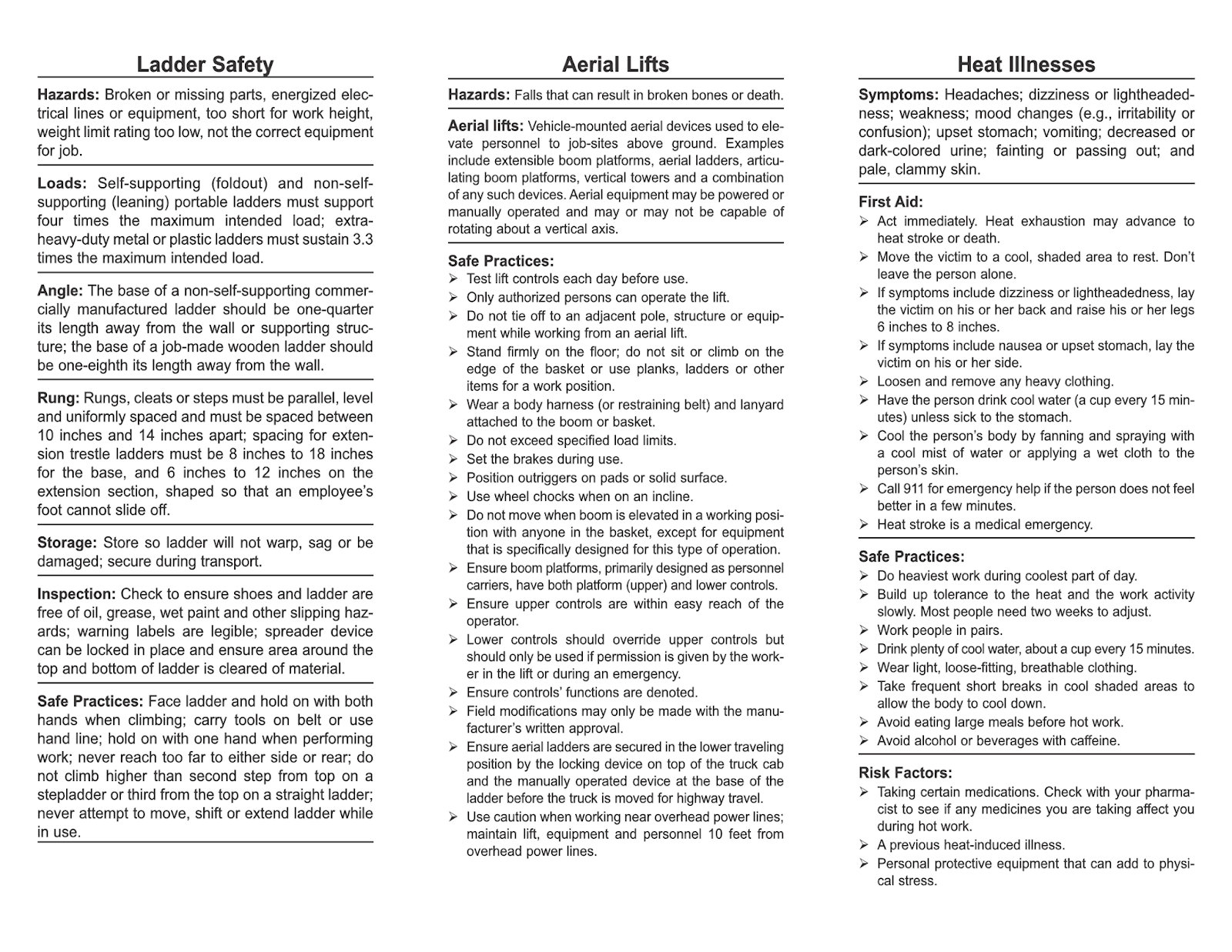
Safety doesn’t happen by accident—neither does effective communication about it. On any active job site, a well-structured toolbox talk can be the difference between a routine day and a preventable incident. Yet, many supervisors struggle to find relevant, engaging, and compliant content—especially in a ready-to-use format like PDF.
The demand for toolbox talk topics PDF resources isn’t just about convenience. It’s about consistency, documentation, and delivering clear, visual, and standardized safety messaging across shifts, crews, and locations. Whether you're managing a small contracting crew or overseeing a large industrial operation, having a library of reliable PDFs streamlines planning, enhances retention, and supports audit readiness.
Below, we break down the most valuable toolbox talk topics, how to use them effectively, and where to source or create high-impact PDFs that go beyond basic checklists.
Why PDFs Work for Toolbox Talks
Toolbox talks are short, focused safety meetings—typically 10 to 15 minutes—conducted at the job site before work begins. Their success hinges on clarity, relevance, and accessibility. PDFs meet all three criteria when used correctly.
Advantages of PDF-based toolbox talks: - Consistency: Every crew receives the same core message. - Portability: Easily viewed on tablets, printed, or shared via email or apps. - Record-keeping: Completed sign-in sheets or digital logs support compliance. - Visual support: Can include diagrams, photos, or safety symbols. - Archive-ready: Stored digitally for OSHA, insurance, or internal audits.
But not all PDFs are created equal. A poorly formatted document filled with jargon or generic advice won’t engage workers or reduce risk. The best PDFs are concise, visually clean, and built around real-world scenarios your team faces daily.
Most Critical Toolbox Talk Topics (with PDF Focus) When curating or creating PDFs, prioritize topics that align with your site’s hazard profile. Below are high-impact themes proven to reduce incidents—each easily adapted into a reusable, downloadable PDF.
#### 1. Fall Protection: Beyond the Harness
Falls are the leading cause of death in construction. A strong PDF on this topic should cover: - Proper harness inspection (with labeled diagram) - Anchor point requirements - Fall clearance calculations - Common misconceptions (“I only need it above 6 feet” – not always true)
Example PDF structure:
Sections: Hazard spotlight, equipment checklist, real near-miss story, discussion questions Footer: Sign-off area for attendees
Avoid generic statements. Instead, include site-specific prompts: “Inspect the leading edge work area scheduled today—what’s your fall protection plan?”
#### 2. Electrical Safety: Staying Alert Around Power
Electrocution risks exist in both high-voltage and everyday settings (e.g., damaged extension cords). A useful PDF should: - Differentiate between low and high-risk scenarios - Show examples of damaged cords and unsafe临时 power setups - Include lockout/tagout (LOTO) reminders
Practical tip: Add a “Spot the Hazard” image in your PDF—a photo of a real site setup with multiple electrical risks. Ask crews to identify them during the talk.
#### 3. Hand and Power Tool Safety

This topic is often overlooked but accounts for thousands of injuries yearly. A strong PDF includes: - Pre-use inspection checklist (e.g., guards, cords, triggers) - PPE requirements per tool type - Safe handling practices (e.g., no carrying by cord or hose)
Common mistake: Workers assume battery-powered tools are “safer.” Clarify that blade speed and kickback risks remain.
#### 4. Hazard Communication (HazCom) & SDS Review
With chemicals on nearly every site, understanding labels and Safety Data Sheets (SDS) is non-negotiable. A PDF should: - Break down GHS pictograms - List site-specific chemicals in use - Explain how to access SDS (digital vs. binder)
Workflow tip: Include a QR code in the PDF linking directly to your digital SDS library.
#### 5. Slips, Trips, and Falls (Same-Level)
Not all fall risks involve heights. These incidents cause lost-time injuries and are preventable. A targeted PDF should: - Highlight cluttered walkways, wet surfaces, and poor lighting - Assign responsibility (“Clean as you go”) - Include housekeeping checklist
Use case: Run this talk after a close call or during wet seasons. Update the PDF monthly with current site conditions.
How to Create Effective Toolbox Talk PDFs (That People Actually Read)
Many companies download generic PDFs only to see them ignored. To avoid this, follow these editorial principles:
1. Keep it under 2 pages. Resist the urge to over-explain. Use bullet points, bold headers, and white space.
2. Use real photos, not clip art. A photo of your crew wearing PPE (with permission) builds relevance. Generic images feel distant.
3. Include discussion prompts. A good PDF isn’t a monologue. Add 2–3 open-ended questions: - “What’s one near-miss you’ve had with [topic]?” - “How would you correct the unsafe act in this photo?”
4. Standardize your format. Create a template with: - Company logo - Talk title and date - Key hazard icon - 3 main points - Visual element - Sign-off section
This consistency builds recognition and professionalism.
5. Version and date every PDF. This prevents outdated content from circulating. Add “Rev. 03 | 04.2025” clearly in the footer.
Where to Find Reliable Toolbox Talk Topics PDFs
While creating your own content ensures relevance, starting from scratch is time-consuming. These sources offer practical, well-designed PDFs:
| Resource | Best For | Format | Cost |
|---|---|---|---|
| OSHA.gov | Regulatory-aligned basics | Text-heavy, printable PDFs | Free |
| SafetyNow | Industry-specific templates | Editable PDFs + tracking | Paid |
| Creative Safety Supply | Visual-rich, simple language | Downloadable PDFs | Free with email |
| SafetyCulture (iAuditor) | Digital integration | Export to PDF after use | Freemium |
| HSE UK | International standards | Detailed, formal tone | Free |
Editor’s note: Always review and customize third-party PDFs. A talk about UK scaffolding standards won’t apply to a Texas pipeline crew.
Common Mistakes That Undermine PDF Toolbox Talks
Even the best-designed PDF fails if misused. Watch for these pitfalls:

- One-size-fits-all approach: Using the same fall protection talk for roofers and trench workers.
- No follow-up: Delivering the talk but not verifying understanding or implementing changes.
- Ignoring feedback: Workers may raise valid concerns during discussion—failing to act erodes trust.
- Poor timing: Holding talks when crews are rushed or distracted (e.g., right before shift end).
- Over-reliance on digital: Assuming everyone has a tablet. Always have printed backups.
A PDF is a tool, not a substitute for leadership. The supervisor must facilitate, not just read.
Integrating PDF Talks into Your Safety Workflow
To maximize impact, embed your toolbox talk PDFs into daily operations:
- Weekly Planning: Assign topics every Friday for the next week.
- Digital Distribution: Upload PDFs to a shared drive or safety app each Monday.
- On-Site Delivery: Supervisors print or display on tablets.
- Documentation: Collect signed sheets or digital confirmations.
- Monthly Review: Audit which topics were delivered and cross-reference with incident reports.
Pro tip: Run a quarterly “safety gap analysis.” Compare topics covered to recent near-misses. If you’ve had two electrical incidents but only one related talk, adjust your plan.
Real-World Example: Reducing Hand Injuries
with a Targeted PDF
A Midwest electrical contractor noticed a spike in minor hand injuries—mostly lacerations from wire stripping. They created a 1-page PDF titled “Cut Risk, Not Your Hands” featuring: - Photo of proper glove use - Close-up of damaged tool blade - Step-by-step wire prep checklist - Discussion: “What’s one hand injury you’ve seen, and how could it have been avoided?”
After rolling it out across all crews, hand injuries dropped 60% over two months. More importantly, tool inspection compliance rose from 45% to 89%.
The PDF wasn’t magic—but it provided a consistent, visual, and actionable reference.
Final Recommendations for Lasting Impact
Toolbox talk topics in PDF form are more than administrative tasks—they’re frontline defense against injuries. To get real results:
- Focus on relevance, not volume. One targeted talk beats five generic ones.
- Update content quarterly. Rotate topics and refresh visuals.
- Empower foremen. Train them to lead discussions, not just distribute papers.
- Measure engagement. Are people signing in? Participating? Applying lessons?
Don’t treat your PDF library as static. Revisit, revise, and re-engage.
Build a set of 20 core PDFs, tailor them to your operations, and deliver them with purpose. That’s how safety culture grows—one talk at a time.
FAQ
Where can I download free toolbox talk topics PDFs? OSHA, HSE UK, and safety suppliers like Creative Safety Supply offer free, downloadable PDFs. Always customize them for your site.
How long should a toolbox talk PDF be? Ideally 1–2 pages. Enough to cover key points, include a visual, and leave space for discussion.
Should toolbox talk PDFs include quizzes? Not usually. Open-ended discussion questions are more effective than formal quizzes in a field setting.
Can I use the same PDF for multiple crews? Yes, but only if the hazard applies. Customize examples or photos to reflect different work areas when possible.
How often should I update my PDF talks? Review and revise at least every 6 months—or immediately after an incident or near-miss.
Do PDF talks satisfy OSHA requirements? OSHA requires documented safety meetings, but doesn’t specify format. PDFs are acceptable if used as part of active, interactive talks.
Can I convert toolbox talks to other formats? Yes. Many teams use PDFs as source material for videos, posters, or app-based check-ins.
FAQ
What should you look for in Top Toolbox Talk Topics PDFs for Safer Worksites? Focus on relevance, practical value, and how well the solution matches real user intent.
Is Top Toolbox Talk Topics PDFs for Safer Worksites suitable for beginners? That depends on the workflow, but a clear step-by-step approach usually makes it easier to start.
How do you compare options around Top Toolbox Talk Topics PDFs for Safer Worksites? Compare features, trust signals, limitations, pricing, and ease of implementation.
What mistakes should you avoid? Avoid generic choices, weak validation, and decisions based only on marketing claims.
What is the next best step? Shortlist the most relevant options, validate them quickly, and refine from real-world results.